
When a reviewer checks submitted evidence and finds it isn't good enough, the work now goes back to the person who did it. The new Reopened status hands the test, and the tasks that support it, back to the assignee, together with an email notification. The old dead end is gone: before, the test was marked Incomplete and nobody was told.
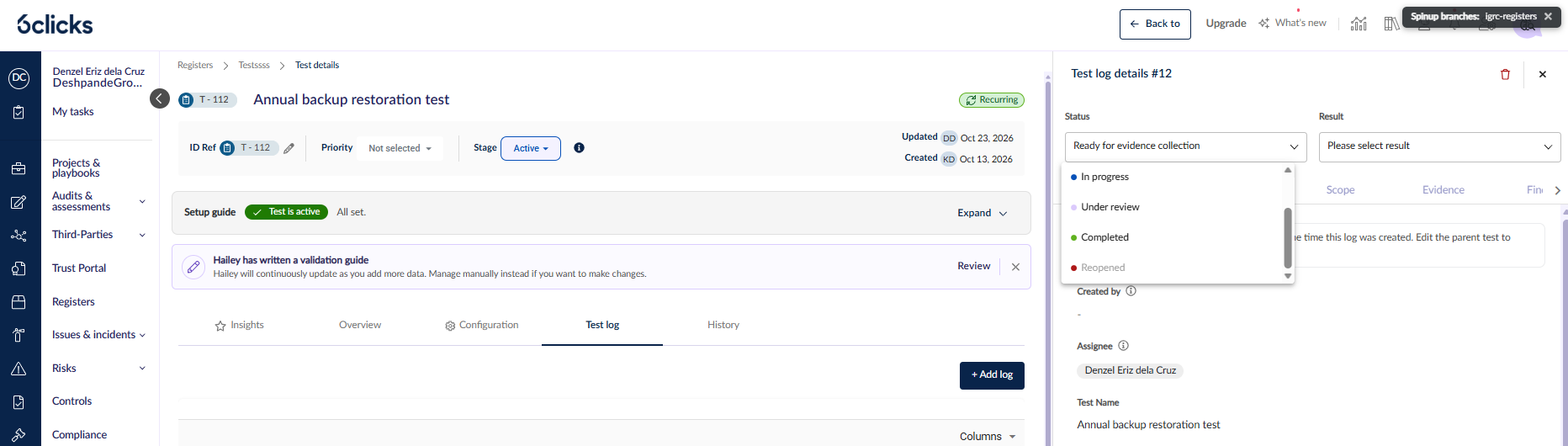
Availability. Reopened is part of Test and Task Registers. If your team has those registers, you already have it. Test owners and tenant admins can reopen a test log.
What changes?
Reopened takes the place of Incomplete. Incomplete is no longer a status for test logs. Test logs that were Incomplete now show as Reopened, and their history keeps the original labels.
Linked tasks go back to the assignee. When you reopen a test log, each Completed task log that supplied evidence to it also changes to Reopened. 6clicks reopens the same task log; it doesn't create a new one. The completed date is removed so the record shows the task is open again.
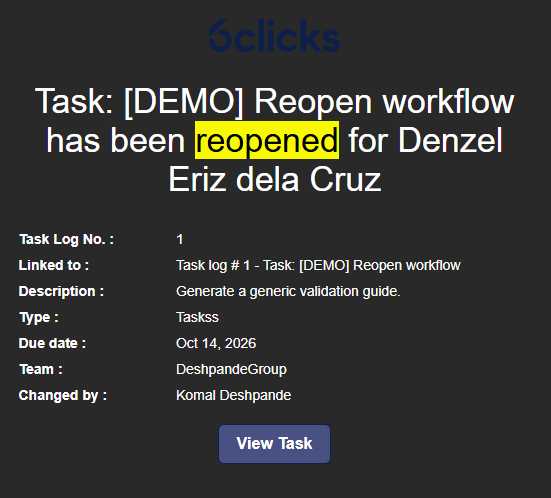
Assignees get an email. Each assignee receives a Task log reopened email. It contains the task details, who reopened the task, and a View Task button that opens the task log directly. Admins can turn this email on or off in Notification management.
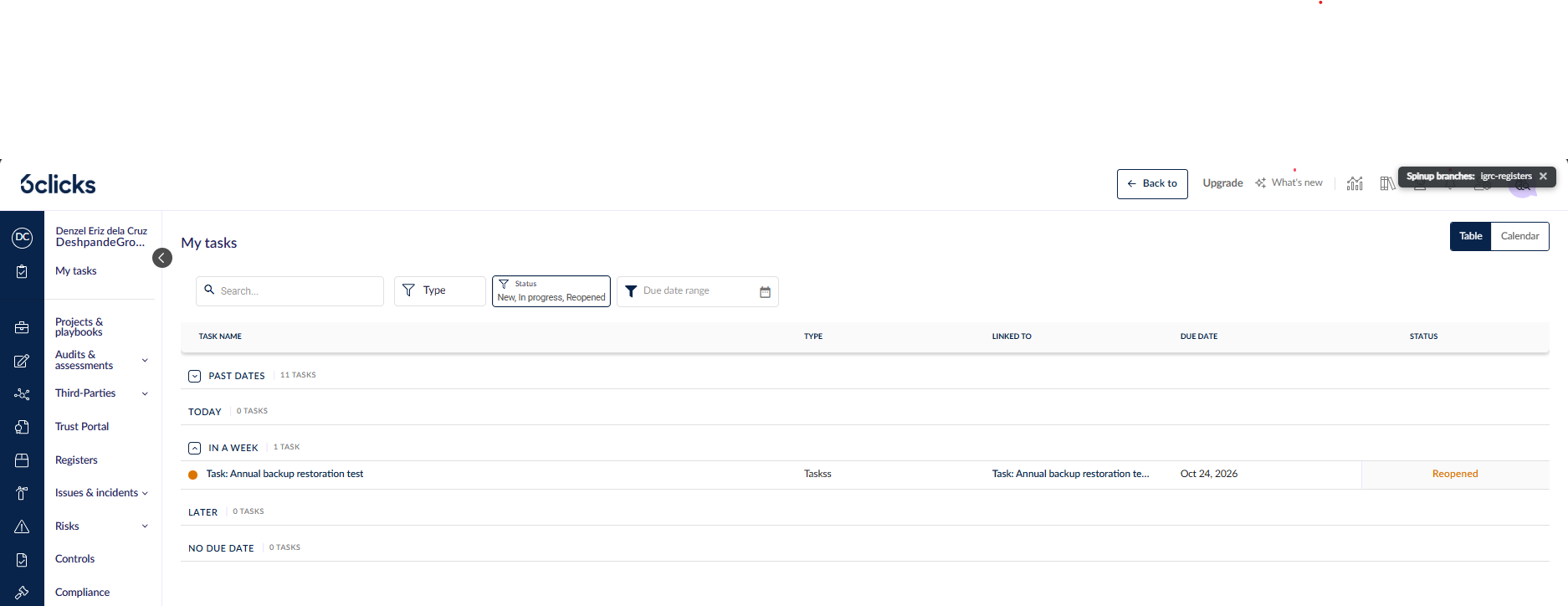
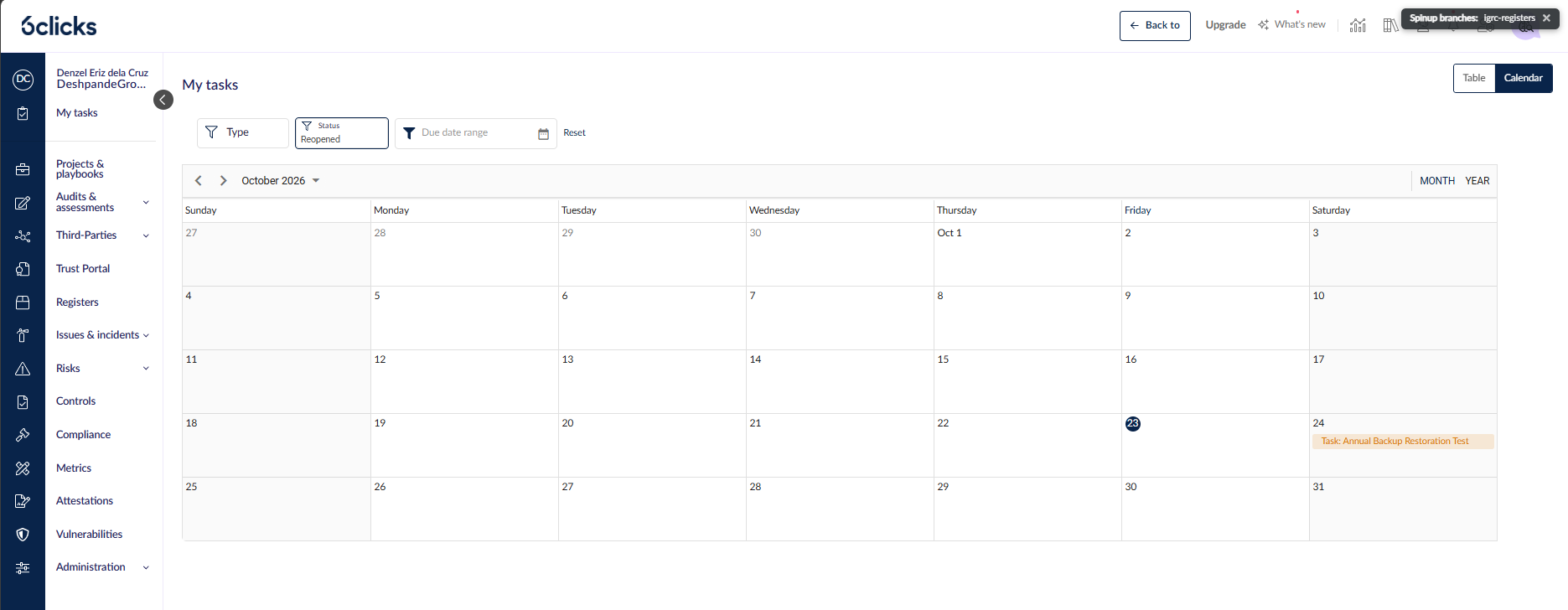
You see Reopened wherever you track work. Reopened has its own colour in My Tasks, the Task Log grid, the task log side panel and the calendar. You can also filter the calendar to show only reopened work.
The response stays open for editing. Before, an Incomplete test log locked its Response tab. A reopened test log doesn't lock it, so the assignee and reviewer can update the response while the rework continues.
The rework loop, step by step
1. The assignee completes their task log. The linked test log moves to Under review.
2. The test owner reviews the evidence and changes the test log status to Reopened.
3. The linked task logs change to Reopened, and each assignee receives an email.
4. The assignee opens the task and moves it to In progress. The test log goes back to In progress too.
5. The assignee completes the task again, the test log returns to Under review, and the owner reviews it again.
Before you reopen
- You can reopen a test log only when it is Under review or Completed. At other statuses the option is greyed out, and a short message above it explains why.
- Only test owners and tenant admins can reopen. If a test has no owners, anyone with edit access can reopen it.
- You can't select Reopened manually on a task log. Only reopening the test log sets it. A reopened task log can go to In progress only.
- Reopening affects only task logs that are Completed. Task logs at other statuses don't change