
Testers can now see the response from the previous test log while they fill in a new one. This helps them keep responses the same from one test to the next.
What's new?
- Test and task response log fields have a new Previous response setting.
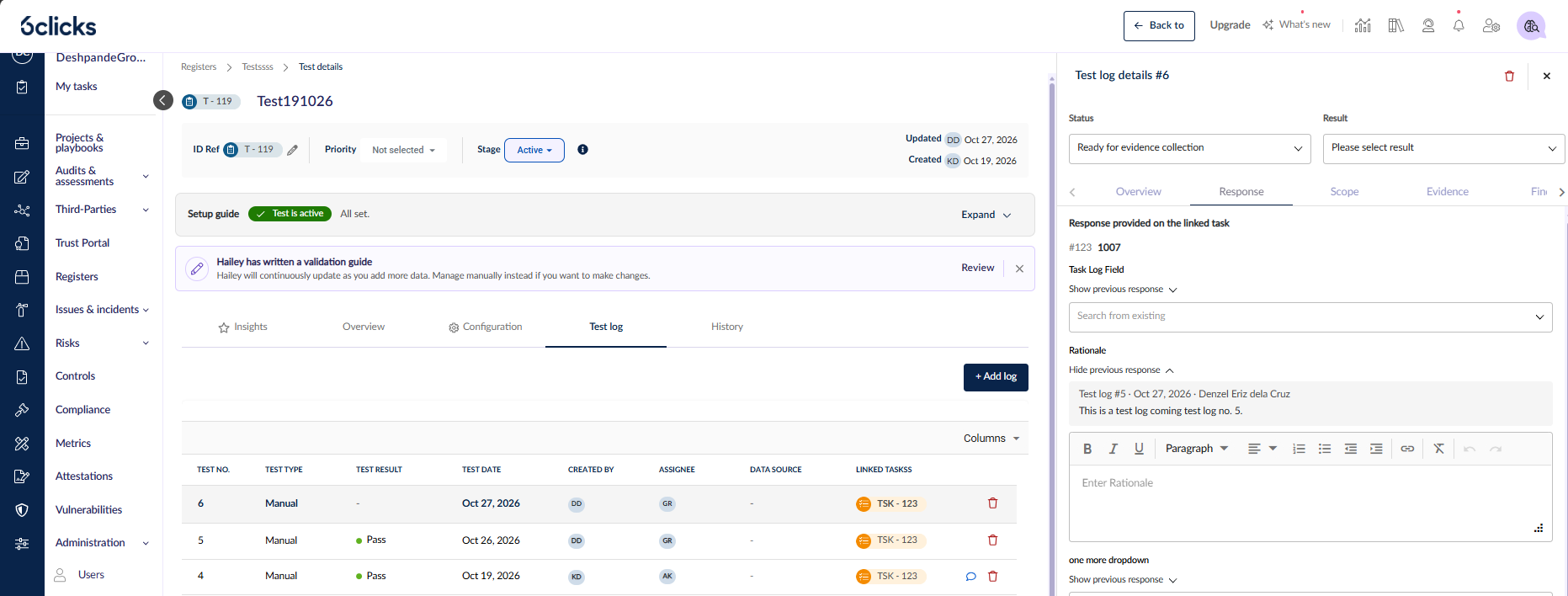
- When the setting is on, each field on a new test log shows a Show previous response toggle.
- Select the toggle to see the value from the previous test log for the same test, with the test log number, date and user.
- The previous response is for reference only. It is not copied into the new log.
How to turn it on?
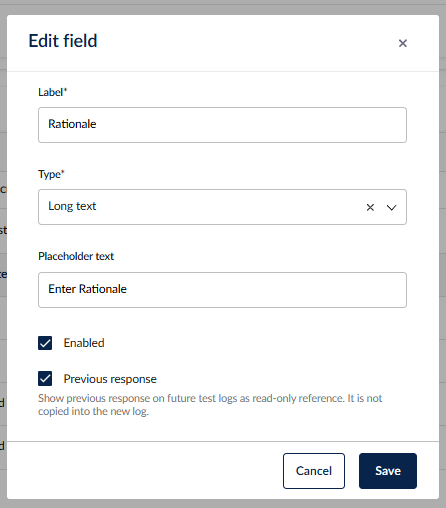
1. Go to Administration > Custom data.
2. Find the Test and Task Response Log Fields grid.
3. Add a field, or edit a field that you already have.
4. Turn on Previous response, then save.
Good to know
- The setting is off by default for all fields.
- Only the immediately previous test log is checked. If that log has no value for the field, nothing shows.
- The grid title is now "Test and Task Response Log Fields". It no longer shows the register name.