
Next level search and filtering just for your registers.
Issues & Incidents, Controls, Files, Tests, Tasks, and Custom Registers can now do cross register and field filtering. Now you can find the insights and information you're looking for faster, easier, and more reliably.
Your New Basic Filters:
Standard and custom fields have gotten easier to use for quick simple queries.
One convenient location: Now custom fields and standard fields can all be accessed from one easy location to add only the filters you need.
Basic operators: All fields can now be filtered using the operator
is emptyoris not empty. Making it easy for you find incomplete or missing data.
Advanced Filter Views:
Stepping up the filtering experience empowering you to get better insights into your data.
Advanced filter builder: Build your own advanced filters combining register fields across linked data relationships.
Save views: Save your advanced filters, making it easier for you to improve your workflows.
Your New Filter Experience:
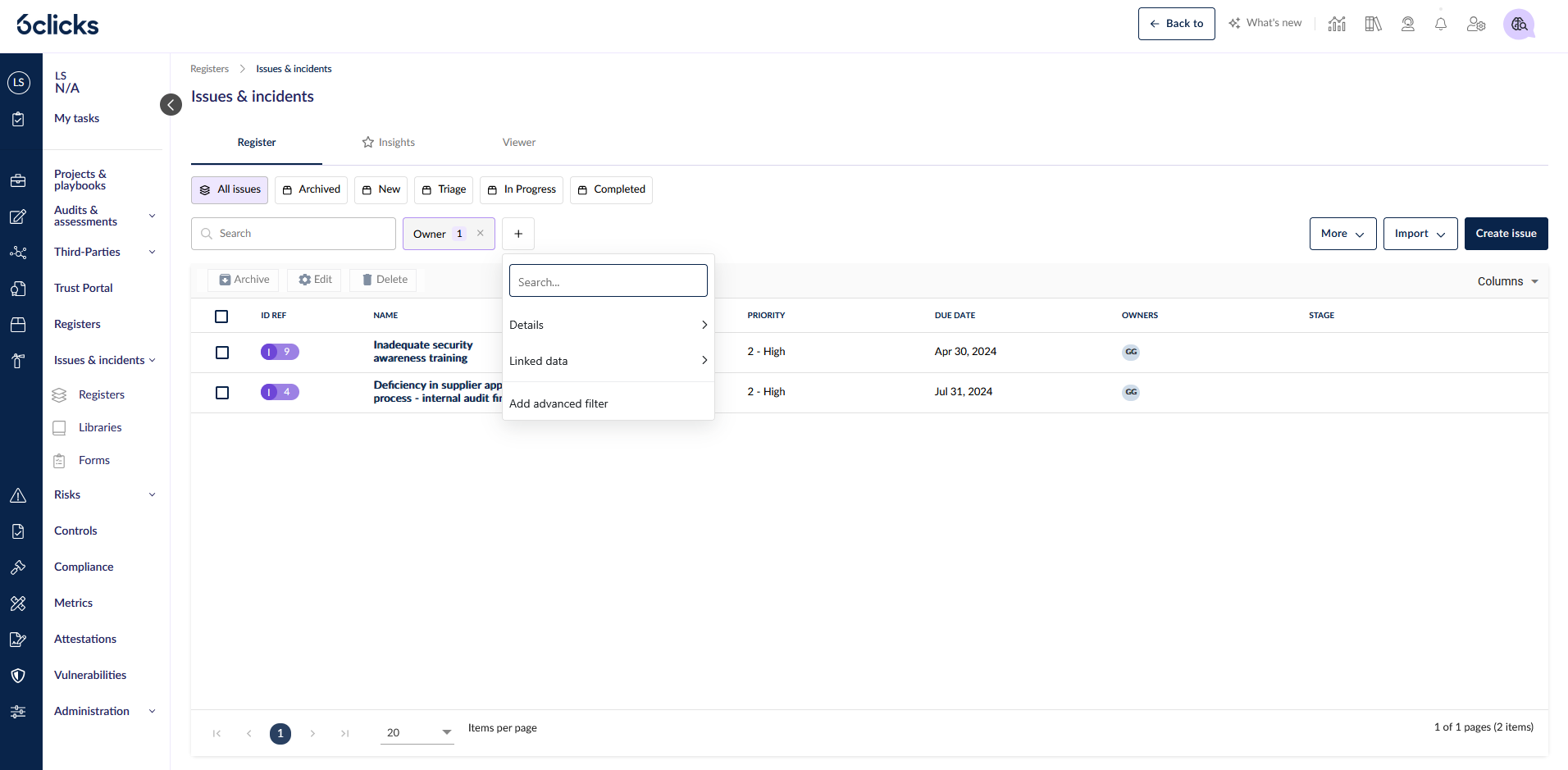
Your standard filters are round under the Add filter button. Add more filters by clicking on the + that appears for each additional filter you want.
Creating and Saving Advanced Filters:
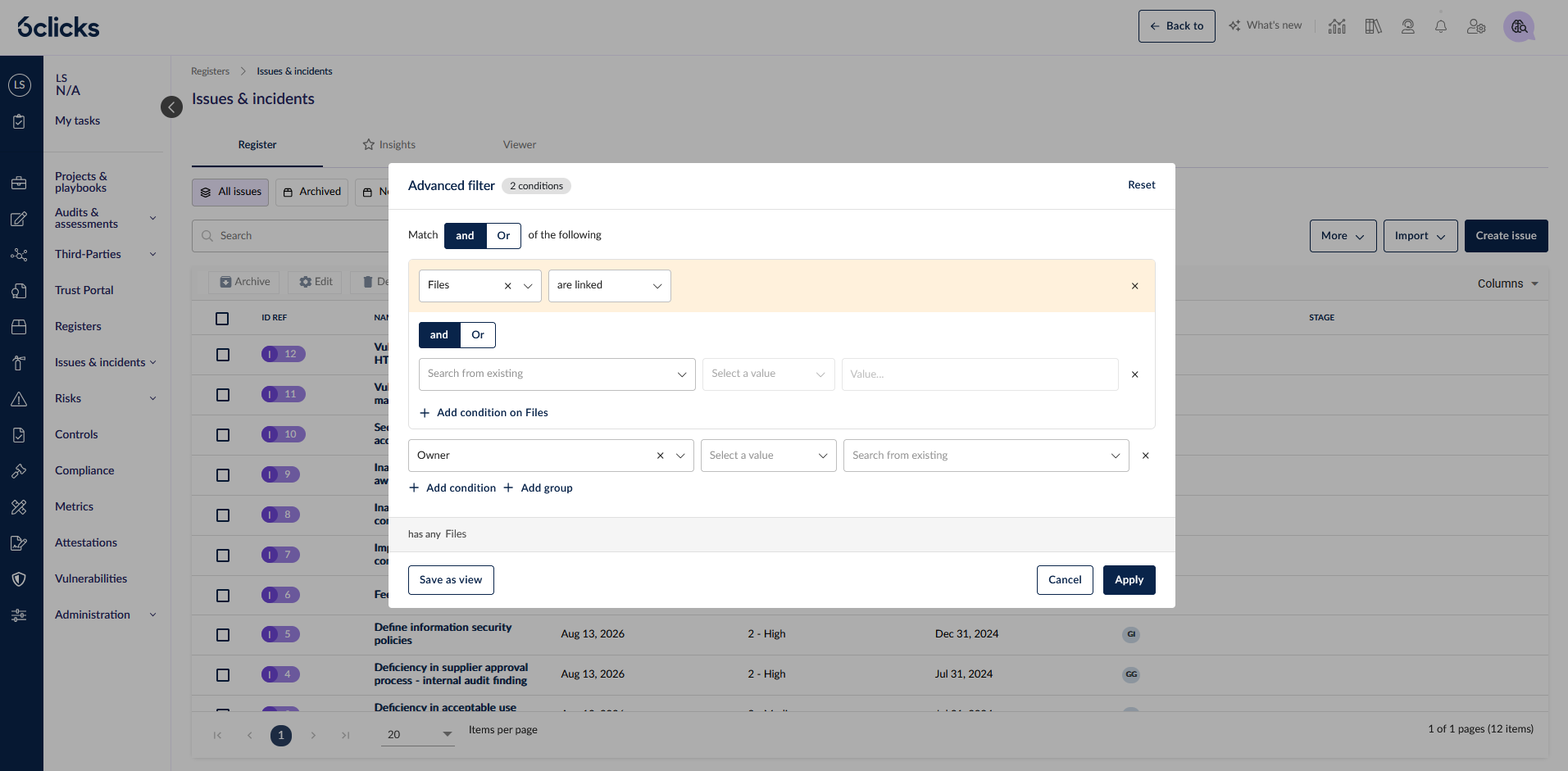
Under the standard filters there's the option to Add advanced filter, this will open the modal to configure your advanced filter query. From here you have a number of powerful operations at your fingertips.
Linked data: Select a data type to create a group of conditions for fields on that data set.
Match operators: Use both
ANDandORoperators to do complex conditional filteringGroup conditions: Create condition groups to drill down further.
Save as view: Use the "Save as view" button to save the query to your views for quick access later.
For more information on using the new advanced filters and search consult the knowledge base article Linked data search and filter.