
You can now filter iGRC register grids by whether items are linked to Authority Provisions. This builds on [Filter & search using linked data](https://knowledgebase.6clicks.com/linked-data-search-filters) and makes it easy to find items that are, or aren't yet, mapped to provisions.
What's new?
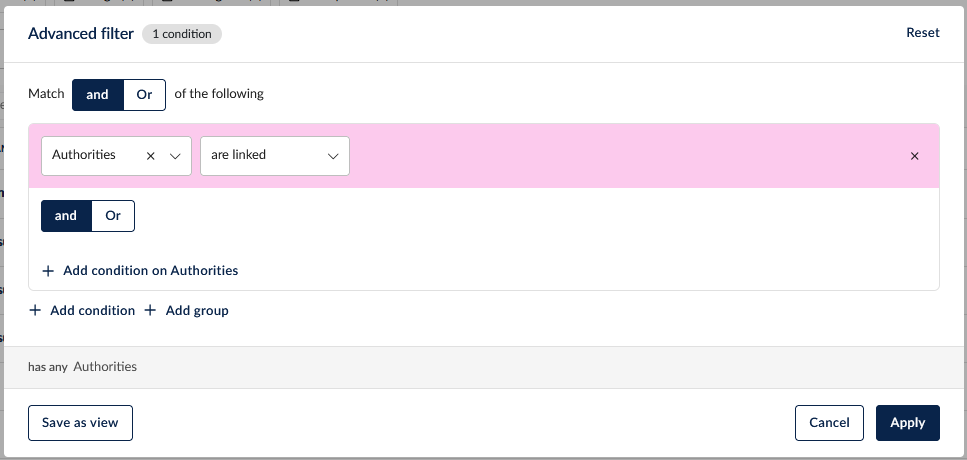
Find mapped and unmapped items. Filter by Authority Provisions using
is linkedoris not linked.Available in basic and advanced filters. Add it from
Add filterfor a quick check, or include it in an advanced filter to combine it with other conditions usingAND/ORoperators and condition groups.Save it for later. Save any filter that includes provisions as a view for quick access.
How it works
Open any iGRC register, e.g. Controls or Tests.
Select
Add filterand choose Authority Provisions, or add it as a condition inAdd advanced filter.Choose
is linkedoris not linked, then apply the filter or select Save as view.
Good to know
Available in all iGRC registers.
The filter checks whether an item is linked to any provision. It doesn't filter by specific provisions or provision fields.
Learn more: Linked data search and filter