
Relating a control to its risks, or a risk to its issues, has always meant knowing your registers well enough to find the matches yourself. Hailey now proposes those linkages for you, each with a confidence rating and an explanation you can check before accepting.
Mapping is the work nobody has time for. It is done by hand, one record at a time, by whoever knows the register best — so it happens inconsistently, and the relationships that make a GRC programme navigable are the first thing to fall behind.
What's New?
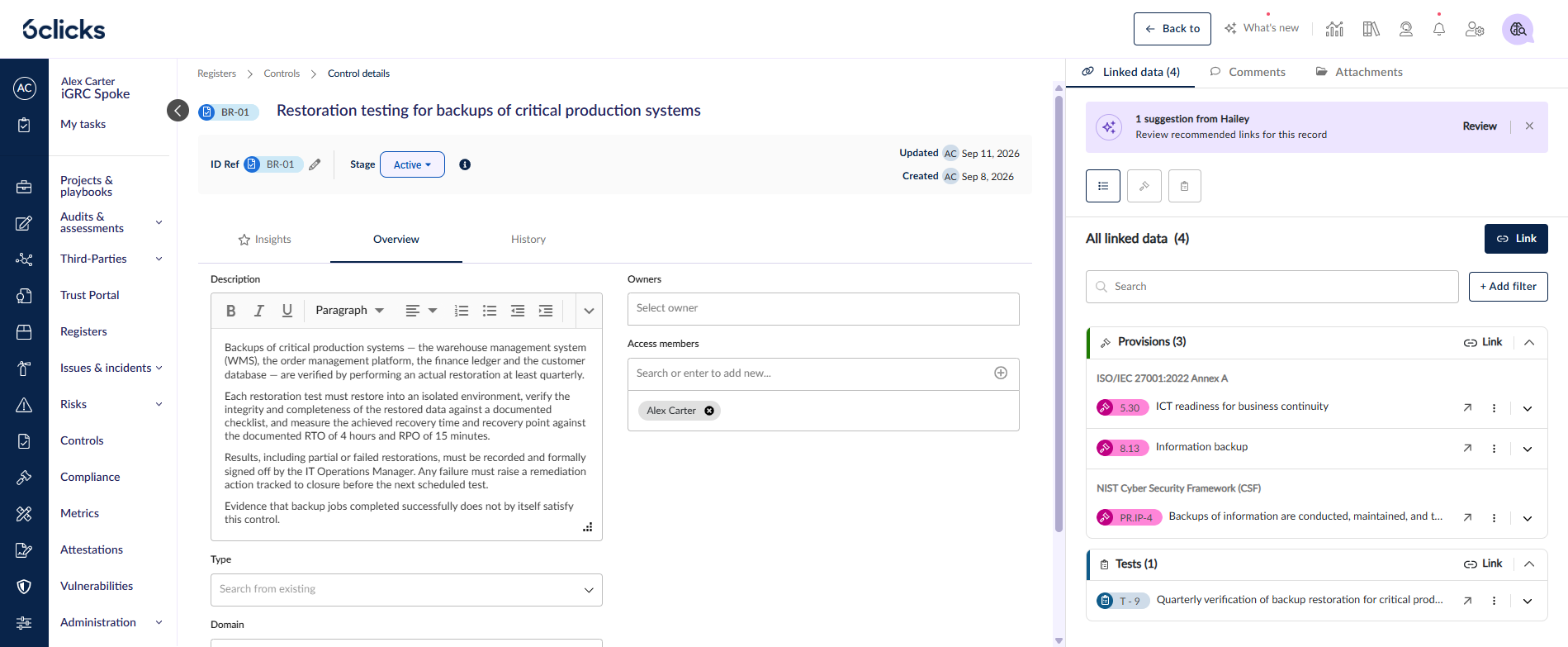
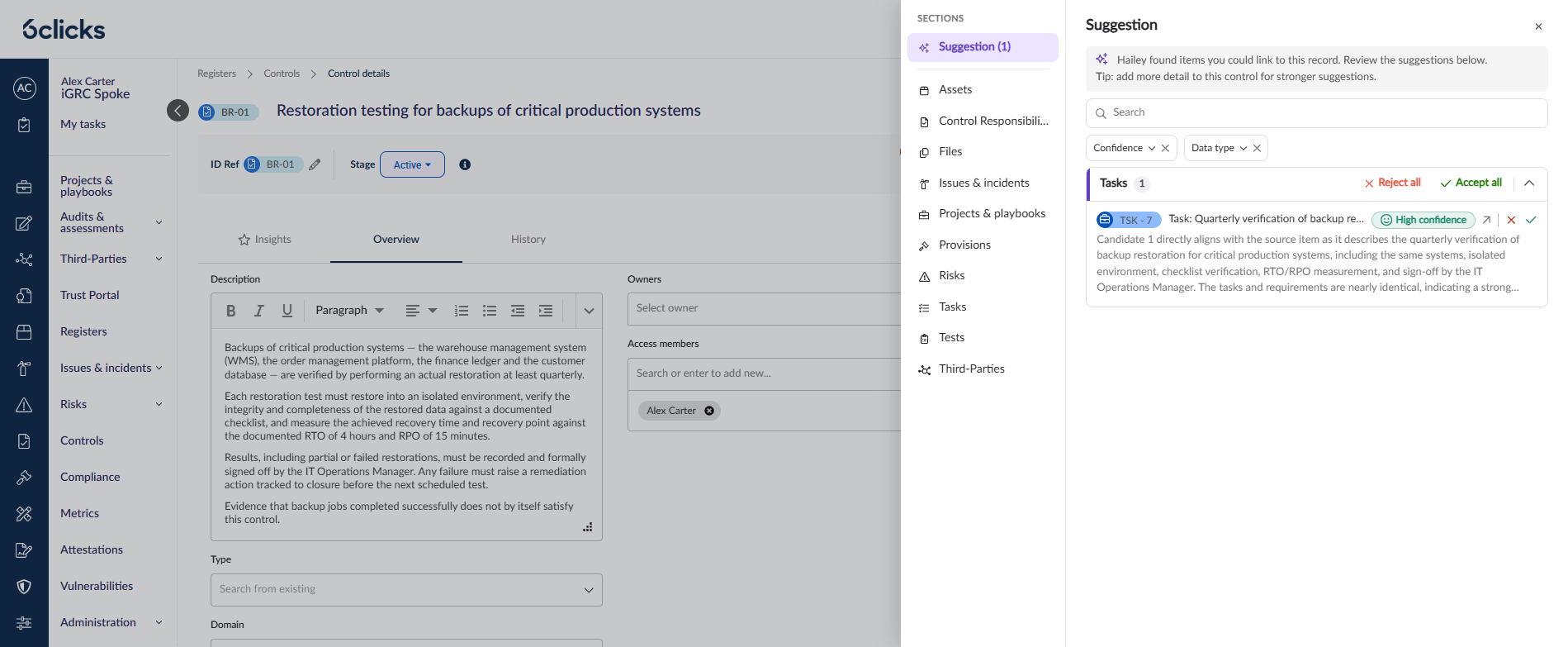
Suggestions where you already work — A banner on the register item tells you when Hailey has something to propose. Review opens the Suggestion drawer, listing everything it recommends linking, grouped by data type.
Every suggestion says how sure Hailey is — Each carries a High, Medium or Low confidence chip. A high-confidence match is a strong one you should still review; a low-confidence match is a starting point only.
And why it thinks so — Every card shows Hailey's reasoning for the match in full, so you are accepting a documented judgement rather than a black-box recommendation.
Narrow the list to what matters — Filter by Confidence or Data type, or search by name, so you only work through the suggestions you care about.
Accept or reject, one at a time or in bulk — Accept creates the linkage immediately. Reject dismisses it and feeds back into future suggestions, so rejecting a poor match is more useful than ignoring it. Accept all and Reject all act on a whole group at once, within whatever filters you have applied.
Mistakes are cheap to undo — Recent Hailey accepts (last 24h) lists what you've just linked with an Unlink on each, so an over-eager Accept all is straightforward to reverse. Unlinking removes the relationship only; it never deletes the item.
How it works
Open a register item that has a description — Hailey works from the record's content.
Select Review on the Hailey suggestions banner to open the Suggestion drawer.
Read Hailey's reasoning on each card, or open the suggested item in a new tab to read it in full.
Accept to create the linkage, or Reject to dismiss it.
Use Recent Hailey accepts to undo anything, and All linked data to see everything linked to the record however it got there.
Worth knowing
Accepting needs permission on both registers — Edit on the register of the record you're working in, plus access to the register of the item being linked. Without both the action shows Requires permission, and a bulk accept reports how many could not be linked.
A record with no description gets no suggestions — Hailey will prompt you to add one. More detail produces stronger matches.
Requires Hailey-assisted register-item mapping enabled for your tenant.
Open any register item with a description to see what Hailey suggests linking.
Learn more: Hailey-assisted mappings in Registers